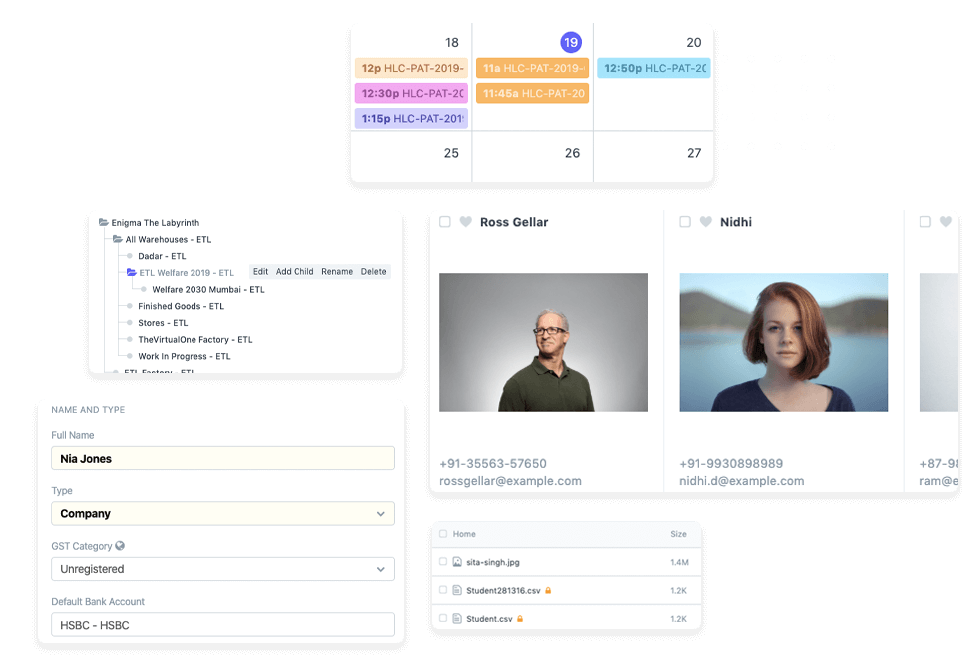

Disconnected operations make growth harder to manage. ERP software in Kenya brings business data into a central system and connects processes such as finance, inventory, payroll and customer management. Shared information gives managers a consistent view of operations for reporting and planning.
Features matter, but the right fit also depends on how your teams work and which processes need to connect. This guide explains how ERP integrates operations and what to consider when comparing systems, modules, cloud platforms and industry solutions in Kenya.
Explore how ERP can support different needs, from stock and production workflows to multi-branch operations in sectors such as hospitality and pharmacy. You’ll also learn how deployment choices affect collaboration, how to plan an implementation and which practical criteria can help you narrow down your options.
Key Takeaways
- Set clear business objectives before comparing ERP systems, then assess how well each option supports your workflows and integration needs.
- Plan implementation around staff training, phased deployment and ongoing technical support; smaller setups may go live in weeks, while larger projects can take months.
- Prioritize modules around the processes that need attention first, such as inventory control, payroll, manufacturing or employee records.
- Compare cloud and traditional deployment by considering how your teams work, where they need access and what infrastructure your business can support.
- Match an industry solution to day-to-day requirements, so the system supports the workflows of your sector rather than adding unnecessary complexity.
ERP definition and operational integration
An ERP system connects business processes and activity data through one coordinated platform. In Kenya, its value depends on how well it fits daily operations, payments, payroll and reporting.
Enterprise Resource Planning Basics
Enterprise resource planning software links processes that might otherwise sit in separate tools or spreadsheets. A sales order can inform inventory, purchasing and finance, giving teams a shared view of the same transaction. The system can also standardise workflows, automate routine steps and support operational improvement. When comparing an ERP, map how information moves between departments and identify hand-offs that currently require duplicate entry.
Functions and Shared Business Data
Integrated business data helps managers prepare reports, make plans and build forecasts from consistent records. Finance, inventory, human resources, customer management and manufacturing functions can use connected information rather than maintaining conflicting versions. Payroll integration can support salary calculations and statutory deductions, speed processing and reduce errors. In Kenya, a localized ERP can support payroll requirements that include the 1.5% Housing Levy. Review which teams need access to each record and which reports guide decisions.
Attendance data can feed payroll workflows when the system connects employee records, approved hours, leave and pay calculations. For example, a recorded absence can be checked against leave information before payroll processing. Define approval steps and access rights early so managers, human resources staff and payroll teams work from consistent records rather than treating attendance as a separate task.
Data Migration and System Integration
Migration transfers business records from existing spreadsheets and platforms into the ERP. Start by identifying essential data, such as customer and supplier details, opening balances and current stock. Clean duplicates and standardise formats before import, then compare sample records and totals after loading. This helps teams spot gaps before they affect live workflows. Plan how long old systems will remain available during the transition.
Integration connects the ERP with existing CRM, e-commerce, HR and third-party platforms through APIs or connectors. For a Kenyan business accepting M-PESA, plan how transaction records will reach finance and reconcile against sales. Specify which system owns each record, how often information transfers and how failed transfers are handled. Test ordinary and exception cases before relying on the connection in daily operations. These decisions shape whether integrated data remains useful across departments.
What are the best ERP systems in Kenya right now?
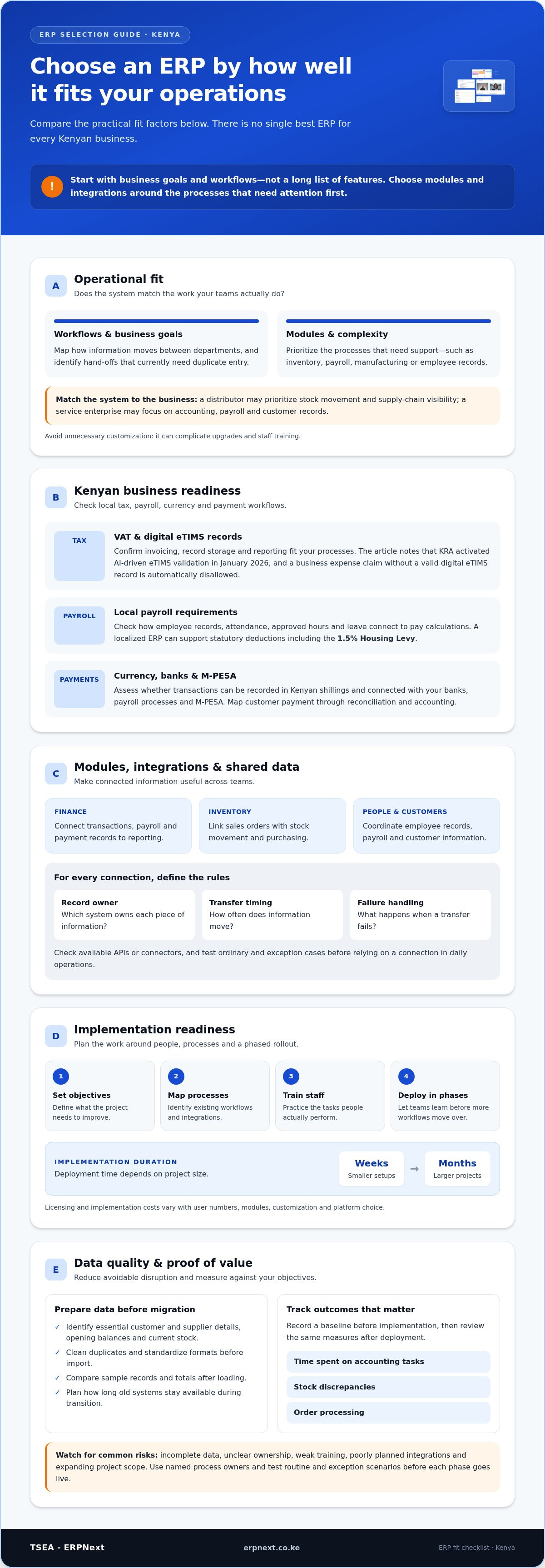
There is no single best ERP for every Kenyan business. Compare systems by business goals, required modules, Kenyan tax workflows, integrations and operational complexity. A distributor may prioritise stock movement and supply chain visibility, while a service enterprise may focus on accounting, payroll and customer records. Choose a system that fits your workflows without unnecessary customisation.
For tax workflows, select an ERP configured to handle VAT processes and digital eTIMS records. KRA activated AI-driven eTIMS validation in January 2026, and a Kenyan business expense claim without a valid digital eTIMS record is automatically disallowed. Confirm that invoicing, record storage and reporting fit your business processes before deployment.
For local operations, assess whether the system records transactions in Kenyan shillings and connects with your banks, payroll processes and M-PESA. Map a payment from customer receipt through reconciliation and accounting, then check how payroll data flows into salary calculations. Integration needs depend on available APIs or connectors and the workflows your business requires.
Implementation planning turns resource planning into an achievable project. Set clear objectives, identify a project lead, map existing processes and prioritise integrations. Train staff on their actual tasks, then deploy in phases so teams can learn before more workflows move across. Small ERP setups may go live in weeks, while larger deployments can take months.
Implementation and licensing costs vary with user numbers, required modules, customisation and platform choice. Customisation can address a genuine process need, but too much can complicate upgrades and staff training. Weigh the value of automating a manual step against the effort needed to maintain it. Request a quote based on your users, modules, customisation and platform requirements.
Common implementation risks include incomplete data, unclear ownership, weak training, poorly planned integrations and expanding project scope. Duplicate supplier records, for example, can disrupt purchasing reports, while an untested payment connection can leave reconciliation incomplete. Reduce these risks through data cleaning, named process owners, staff practice and testing routine and exception scenarios before each phase goes live.
Assess return on investment through operational measures tied to your objectives, such as time spent on accounting tasks, stock discrepancies or order processing. Record a baseline before implementation, then review the same measures after deployment. For distribution businesses, compare order handling and stock visibility; for pharmacy operations, assess whether pharmacy chain management aligns with branch and inventory workflows.
Choose an ERP that can handle VAT processes and digital eTIMS records, and confirm that its invoicing, record storage and reporting fit your business processes.
Assess whether the ERP records transactions in Kenyan shillings and connects with your banks, payroll processes and M-PESA. The integrations you need depend on available APIs or connectors and your workflows.
Finance, inventory, manufacturing, HR and other ERP modules
ERP modules connect finance, inventory, manufacturing, human resources and customer management. Choose modules around the workflows your business needs to coordinate and improve.
Accounting and Sales Modules
Accounting modules connect transactions, receivables, payables and financial reporting. Sales modules can link customer orders with stock availability and finance records, reducing repeated data entry. For example, a sales order can inform an invoice and update inventory. Compare how each module handles approvals, reporting and hand-offs, especially when sales and finance teams rely on the same transaction data.
Inventory Management Capabilities
Inventory modules can track stock in real time, set reorder levels, manage suppliers and automate purchase orders. Check that the system reflects how your business handles goods, including transfers between locations and stock adjustments. A retailer needs useful visibility into stock movement and replenishment. Procurement teams can use supplier records and reorder settings to plan purchases around demand rather than relying on separate spreadsheets.
Manufacturing resource planning connects production requirements with inventory and purchasing information. A manufacturer can use material records to see which inputs are available before scheduling work. Assess whether the module supports your production steps, resource needs and stock movements. This helps teams identify gaps between planned production and available materials while linking shop-floor activity with finance and inventory workflows.
Human resource modules centralise employee records, leave tracking, performance evaluations and recruitment processes. Payroll can use employee information and approved attendance data to support salary calculations and statutory deductions. Finance modules then connect payroll entries with accounting records. Consider who needs access to sensitive employee details and how approvals should work. These decisions help create a clear, controlled process from attendance review to payroll reporting.
For procurement, define how a request becomes an approved purchase order, supplier delivery and stock receipt. An ERP workflow can connect these steps, helping teams compare ordered quantities with received goods and update inventory records. Sales and stock also work together: an order can reserve available items, while low stock can prompt a purchasing review. Map these hand-offs before selecting modules so the setup reflects actual operations.
Module selection should follow the needs of the sector, not a checklist of features. A pharmacy operation, for example, may prioritize coordinated stock records across branches, while a manufacturer may focus on materials and production planning. ERPNext has 30+ built-in modules, offering a broad set of functions to evaluate against business requirements. Across ERP users, 80% of businesses report faster reconciliations after adoption. Prioritize the modules that connect essential digital workflows first.
Cloud-based ERP compared with traditional systems
Deployment affects how teams access ERP systems, manage infrastructure and support daily processes. Compare cloud, on-premise and self-hosted options against your locations, connectivity and internal capabilities.
Cloud and On-Premise Deployment
Cloud ERP runs on hosted infrastructure, while on-premise ERP runs on equipment managed by your business. Cloud access lets departments collaborate in real time from anywhere with an internet connection. On-premise deployment makes the organisation responsible for its environment and maintenance. Compare where teams work, which locations need access and who will manage updates, backups and security. Businesses with branches can weigh shared access against infrastructure responsibilities.
Open-Source and Self-Hosted Options
Open-source describes software whose source code can be inspected and adapted under its licence; it does not determine where the system runs. Open-source ERP can be self-hosted or delivered through cloud hosting. Self-hosting gives an organisation more direct control but requires internal capability to manage the environment. Compare customisation needs, updates, support arrangements and security responsibilities before choosing. These distinctions matter to growing enterprises seeking flexible ERP solutions.
Cloud Access and Collaboration
Cloud access connects teams in different locations through shared operational records. A branch manager, for example, can review current information while the finance team works from another office. This supports collaboration when staff have an internet connection and suitable access permissions. Assess which roles need remote access, what information they should see and how access is controlled. Then test everyday workflows, such as reviewing orders or checking stock records.
Deployment choice also shapes how teams handle connectivity interruptions and routine system administration. Map the work each location must complete, then identify tasks that depend on continuous access. A business with a central office and a remote branch should account for both working conditions. Define how staff will continue essential processes if a connection becomes unavailable and reconcile records when access returns.
Compare the full operating model, not just the hosting label. List who manages user access, system changes, backups, integrations and staff support. Assign an owner to each responsibility and document the process. Cloud ERP may suit teams needing shared access across locations, while on-premise or self-hosted arrangements may suit organisations prioritising direct infrastructure control. Use these criteria to judge which option supports your operations as they grow.
ERP solutions for Kenyan industries
Industry fit depends on how an ERP handles the workflows that drive daily work. A Kenyan retailer, manufacturer and hospitality business need different combinations of stock control, purchasing, production, sales and reporting. Start by tracing an important process from its first action to its final report. This shows where information needs to connect and which sector-specific requirements deserve priority.
For agriculture, map how teams record inputs, harvests, storage and sales. A business moving produce from farms to buyers needs visibility across purchasing, stock and order fulfilment. Manufacturing may require resource planning that links materials, production tasks and finished goods. Compare how each ERP represents your processes, including exceptions such as damaged stock or delayed deliveries.
Retail businesses can assess the path from sale to replenishment. A shop in Kenya needs stock records that support purchasing decisions and show which products move between locations. Distribution teams should also examine supplier management, order processing and reporting across warehouses. A useful system connects these workflows, helping managers investigate stock discrepancies without comparing separate sales and store spreadsheets.
Hospitality operations can connect reservations, service delivery, purchasing and financial records. A restaurant group, for example, may need managers to compare purchases with stock use across locations. Education organisations can focus on admissions, student records, fees and operational reporting. In each sector, define who enters information, who approves changes and which managers need the resulting reports.
Pharmacy businesses should assess how the system supports stock visibility, purchasing and sales across branches. Product records need to enable clear identification and controlled movement between locations. Map how a branch requests replenishment, how the central team approves it and how receipt updates stock records. These workflows help buyers judge whether an ERP matches their operating model, rather than relying on a generic industry label.
For organisations managing multiple locations in Kenya, assess how the system handles shared processes and management reporting. A regional manager may need to compare branch activity while local teams manage daily transactions. Define which records should be standard across the organisation and where local workflows differ. Then test those scenarios using realistic examples, such as stock transfers or consolidated sales reporting.
Turn the sector review into a practical shortlist: document essential workflows, rank them by operational importance, and test each against realistic business scenarios. Include staff from sales, operations and finance, because each team sees different process gaps. For an industry-focused next step, explore ERP solutions for your business and assess how they align with your workflows.
TSEA - ERPNext: ERPNext
TSEA - ERPNext offers ERPNext for businesses seeking a connected platform to manage operations. It may suit teams comparing systems for integrated workflows across departments, rather than separate tools for each process. For pharmacy businesses, Pharmacy Chain Management supports industry-focused operational needs; Hospitality is available for businesses in that sector. Start by identifying the processes your team needs to connect, then compare how the relevant offering fits those workflows and reporting priorities.
Explore ERPNext for your business and contact TSEA - ERPNext to discuss your requirements.
Turn your ERP shortlist into a practical next step
Use your process map to choose ERP software in Kenya. Identify the workflow you most want to improve, the teams involved and the records they need to share. Then use that priority to guide a focused conversation about fit and implementation scope, rather than trying to solve every operational challenge at once.
TSEA offers ERPNext, Pharmacy Chain Management and Hospitality, which is at an early development stage. These options provide a starting point for discussing general operations, pharmacy workflows or hospitality needs. Bring your priority processes and goals to the conversation so the next step reflects how your organisation works.
Contact TSEA - ERPNext to discuss your requirements and explore a practical way forward. Your next ERP decision can start with one clear business priority.
Frequently Asked Questions
What Is ERP Software?
ERP software brings information and processes into a shared digital environment. When a sales team records an order, for example, other teams can work from the same transaction record. This helps staff trace how one business action affects later steps. To assess a system, follow a real transaction from start to finish and review the records it creates.
ERP Selection Matrix: Which One Fits Your Business?
Choose an ERP by assessing it against your actual needs, not by counting features. Compare options across essential workflows, local business requirements, integrations, deployment, user access and reporting. Mark each item as essential, useful or unnecessary, then test essential items with a realistic scenario. A retailer, for example, could trace a sale through stock movement and accounting. This makes trade-offs visible and supports a focused comparison.
What Is ERP?
ERP stands for enterprise resource planning, a way to coordinate key business activities through connected software. It is more than a digital filing cabinet: staff use it to enter, process and retrieve operational records. A supplier invoice, for instance, can be recorded against the relevant purchase and payment workflow. The term describes the system’s role in coordinating resources and information, rather than one specific industry or deployment method.
What is enterprise resource planning software?
Enterprise resource planning software gives an organisation a structured way to manage business records and tasks in one system. It can support defined processes, user permissions and reports across teams. For example, a manager can assign purchasing staff to supplier orders while finance staff review payment records. During evaluation, check whether the setup matches your approval steps and responsibilities rather than requiring parallel records.
Why Choose The Best ERP System?
The right-fit ERP helps your team run important workflows with fewer disconnected records and clearer accountability. “Best” means suitable for your processes, not necessarily the system with the longest feature list. Check how users complete common tasks, how managers retrieve reports and how the system handles exceptions. A demonstration using a returned sale or delayed supplier delivery can show whether a workflow suits daily operations.
Why implement an ERP system?
Implement an ERP system when separate tools make it difficult to coordinate work or understand business activity. A company might use one system for orders and another for stock, leaving staff to reconcile differences manually. Connected records can give teams a consistent operational picture. Before starting, identify the process causing the most friction, set an improvement objective and assign an owner to track progress after launch.
What ERP software options are available in Kenya?
Businesses evaluating ERP software in Kenya can compare cloud-based, open-source and other commercial options, then assess their modules and implementation approach. ERPNext is available through TSEA, which offers it as a cloud-based, modular business management system. Compare options using a written requirements list covering workflows, integrations, user roles and reporting, then test how each handles a representative business task.
Which ERP systems are popular with Kenyan businesses and why?
Businesses choose ERP software in Kenya according to their size, industry and operational priorities, so popularity alone does not prove a system is suitable. Fit with existing processes, platform integrations and useful reporting often matters. ERPNext is one option to assess if a modular, cloud-based system suits your requirements. Compare it through real staff tasks, such as approving a purchase or reviewing branch activity.


