
A pharmacy’s billing process is only as clear as the records behind it. A pharmacy chain management system connects dispensing and stock information with billing workflows, helping teams record transactions and coordinate claims and reimbursement follow-up across locations. Its purpose goes beyond producing bills: it helps managers see how pharmacy operations and financial activity fit together.
Keeping track of sales, stock movements, prescriptions and payment status becomes more challenging as a pharmacy chain grows. A pharmacy chain management system brings key information into a shared platform, helping branch teams work with consistent records while managers monitor operations across locations.
This article explains what pharmacy management software does, how cloud systems work, and how billing, claims and reimbursements fit into pharmacy workflows. It also covers how inventory records, reports and operational oversight can support day-to-day decisions for pharmacies in Kenya.
Key Takeaways
- See how cloud-based tools bring pharmacy information together and support coordination across branches.
- Learn how patient profiles and medication histories help staff work with prescription information more consistently.
- Understand how billing records connect with insurance claims and reimbursement workflows.
- Explore how inventory tracking and operational reports can help managers plan and make informed decisions.
Cloud-based pharmacy software
Cloud-based software gives pharmacy teams access to shared records through connected devices. Its usefulness depends on how well it fits each branch’s workflows.
Cloud Access Across Pharmacy Settings
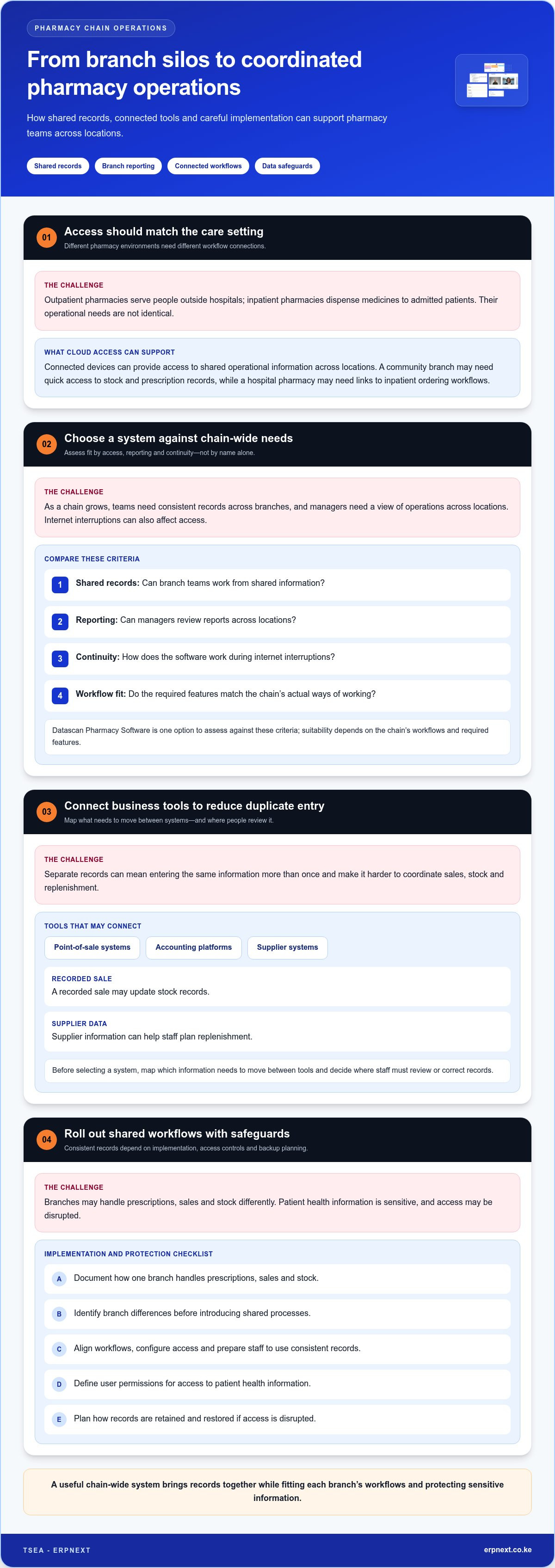
Cloud-based pharmacy software makes operational information accessible across connected locations, while outpatient and inpatient systems serve different care settings. Outpatient pharmacies include retail, community and independent pharmacies serving people outside hospitals; inpatient pharmacies dispense medicines to admitted patients. A community branch may need quick access to stock and prescription records, while a hospital pharmacy may need to connect with inpatient ordering workflows.
Comparing Systems for Multiple Branches
The right pharmacy chain system supports the chain’s access, reporting and continuity needs. Compare whether branch teams can use shared records, whether managers can review reports across locations, and how the software works during internet interruptions. Datascan Pharmacy Software is one option to assess against these criteria, but its suitability depends on your chain’s workflows and required features.
Connections to Pharmacy Business Tools
Software integrations connect pharmacy records with tools such as point-of-sale systems, accounting platforms and supplier systems. These links can reduce duplicate data entry: a recorded sale, for example, may update stock records, while supplier data can help staff plan replenishment. Before selecting a system, map the information that needs to move between tools and decide where staff must review or correct records.
Branch Implementation and Data Safeguards
Implementing a system across branches means aligning workflows, configuring access and preparing staff to use consistent records. Document how one branch handles prescriptions, sales and stock, then identify differences before introducing shared processes. Security planning should address user permissions and access to patient health information. Data backup planning should define how records are retained and restored if access is disrupted. These steps help protect sensitive information and coordinate operations.
What is a Pharmacy Management System (PMS)?
A pharmacy management system organizes prescription, patient, dispensing and medicine information. Its records help staff trace a prescription from entry through dispensing.
Patient Profiles and Medication Histories
A patient profile brings relevant identity and medication information together for pharmacy staff. Medication history records medicines prescribed and dispensed, helping staff review the patient’s treatment context.
For example, an allergy entry can prompt a pharmacist to review a prescription before dispensing. The system can also help staff match an order to available products and check patient, quantity, dosage and label details. These records support careful review, but staff must still assess the information and apply their professional judgement.
Consistent patient records across branches can make earlier dispensing activity easier to review. Access controls are essential because profiles contain sensitive health information. A useful system allows a pharmacy to define who can view or update records and store information in a structured, searchable format.
Regulations and Pharmacy Records
In Kenya, pharmacy software should support accurate, accessible records for prescriptions, dispensing, patients, medicines and transactions. These records help teams review what was prescribed, when it was dispensed and which product was supplied. The software should also include security controls to protect patient health information.
Operationally, teams need to trace stock entering or leaving the supply system and retrieve records for review. Reports can help managers examine medicine use and costs over a selected period. The system’s value depends on complete entries, clear access permissions and consistent use across branches.
Rx30 is a named pharmacy software system. To assess its features and history for a Kenyan operation, compare its documented functions with the pharmacy’s required patient, prescription, dispensing, inventory, and reporting workflows. Apply the same checklist to any system under consideration, rather than assuming a product name establishes its capabilities.
A basic system needs a user interface, data entry and retention, and security controls to protect patient health information.
It can help staff review drug interactions, allergies and other medication-related complications, and prompt checks of the patient, quantity, dosage and prescription-label information.
It can match prescription orders with available pharmaceutical products, record who prescribed a medicine and when it was prescribed and dispensed, and report medicine-use patterns and drug costs over a specified period.
Billing, insurance claims, and reimbursements
A pharmacy system links a dispensed medicine to its billing record. Staff select the product, enter the quantity and record the transaction. The system can connect these details to the prescription and dispensing record, giving the branch a traceable basis for checking what was supplied and billed. Clear item records also help staff distinguish a completed sale from an order that needs attention. Consistent entries make reports easier to compare across the chain.
For an insurance claim, staff assemble the relevant transaction details and submit them through the applicable payer process. Software can organize claim records, link them to prescriptions and show their progress for follow-up. For example, a rejected claim can be flagged alongside its original billing information. Staff can then correct an entry or add supporting details before resubmitting it. The system supports administration, while payer requirements determine the information needed for each claim.
Reimbursement tracking connects claim outcomes with payments received. Teams can compare a claim’s recorded amount with the payment entry and flag items that need reconciliation. If a payment does not match the associated claim, for example, staff can keep the discrepancy visible rather than marking the transaction as settled. Managers can review outstanding, paid and disputed items by branch. This supports follow-up while keeping claim submission distinct from payment received.
Useful reporting brings these steps together. A pharmacy can review billed transactions, claim progress and reimbursement records over a selected period. Managers can compare branches, identify recurring processing issues and see where follow-up is needed. Accurate entries matter: an incorrect product, quantity or patient reference can make a claim harder to resolve. A clear workflow assigns each transaction a status, retains supporting details and gives staff a practical route from dispensing to payment reconciliation.
Pharmacy management system purpose and benefits
A pharmacy system turns daily records into information that staff can use to manage operations. It can print prescription labels and medication instructions, track inventory transactions and produce summaries for department managers. A dispensing record, for example, can show which medicine moved, while a periodic report helps managers review performance. This connects pharmacy activity with operational decisions instead of leaving transactions as isolated entries.
Inventory functions help teams plan supply. A system can alert staff when a medicine falls below a set stock quantity and recommend an order. Transaction records also support decisions about supply quantities, reorder timing and billing. Consistent records across a pharmacy chain help managers compare branch activity and identify where stock planning needs attention. Their practical value comes from using current entries to guide replenishment, not simply storing product lists.
Reports add context to individual stock movements. Pharmacy information systems can compare medicine distribution across months to help managers interpret consumption. For example, a report showing 3,000 tablets last month gives a manager a point of comparison when reviewing later demand. An audit trail can also record products entering or leaving the supply system. Together, these records help teams trace activity and make informed decisions about stock and operational planning.
The broader purpose is to connect pharmacy data collection, processing and presentation with evidence-based decisions. The JCPP pharmacist patient care process comprises collecting, assessing, planning, implementing and following up. System records can organize operational information for review, while staff apply their professional judgement. Managers can use summaries to estimate demand, allocate resources and monitor pharmaceutical operations.
To make those benefits practical, define which reports, stock alerts, and transaction records each branch needs. Then align workflows so managers can interpret information consistently. Review your pharmacy operations workflows and identify where connected records can better support planning and oversight.
TSEA - ERPNext: ERPNext
TSEA - ERPNext offers ERPNext and Pharmacy Chain Management for pharmacies looking to coordinate operations across branches. Consider this option when evaluating software for pharmacy chain processes and discussing how an ERP solution could fit your operational needs.
Before choosing a system, outline the workflows that matter most: branch operations, prescription records, stock movement, billing and management reporting. This gives the discussion a practical focus and helps align the software with your pharmacy’s requirements. TSEA - ERPNext also offers Hospitality, alongside ERPNext and Pharmacy Chain Management.
For a conversation about ERPNext and Pharmacy Chain Management, contact TSEA - ERPNext or visit erpnext.co.ke.
Set your next improvement in motion
Identify where your pharmacy team loses visibility or spends time resolving routine exceptions. A pharmacy chain management system should support how your branches work, with clear responsibilities for maintaining records and reviewing outstanding tasks. Start with an operational priority, agree how staff will measure progress and use that decision to guide your software discussion.
Bring practical questions to the discussion: which workflows need to connect, what information should managers see, and how will branch teams adopt shared processes? A focused conversation can help clarify whether ERPNext and Pharmacy Chain Management fit your operational direction. Choose a next step your team can explain, use and build on.
Contact TSEA - ERPNext to discuss your needs and take a confident next step toward more coordinated pharmacy operations.
Frequently Asked Questions
What is a pharmacy chain management system and what features does it include?
A pharmacy chain management system coordinates pharmacy transactions and information through structured records. Core features can include matching prescription orders to available products, recording dispensing details, supporting checks for medication-related risks, and producing medicine-use or cost reports. A manager can, for example, review a medicine’s movement over a selected period to inform operational planning. These functions support daily work and management oversight.
How do pharmacy systems manage stock, batch numbers, and expiry dates?
Batch and expiry control starts with recording each received product’s batch identifier and expiry date against its stock entry. Linking later stock movements to that batch helps staff trace which supply was received or dispensed. For example, a product review can identify affected stock by batch rather than relying only on the general medicine name. Accurate receiving and dispensing entries make this traceability useful.
How do pharmacy systems handle prescriptions, dispensing, and patient records?
Pharmacy systems connect a prescription order with the product supplied and its dispensing record. Staff can record who prescribed the medicine, when it was prescribed and when it was dispensed. A patient profile can also bring medication history into view for review. Before completing an order, for example, staff can compare the patient and prescription details with the medicine prepared for dispensing.
What are the best pharmacy chain management systems for multiple branches?
The right system supports shared records across branches, reporting across locations and continuity during internet interruptions. Datascan Pharmacy Software is one option to assess against your chain’s workflow and feature needs.


