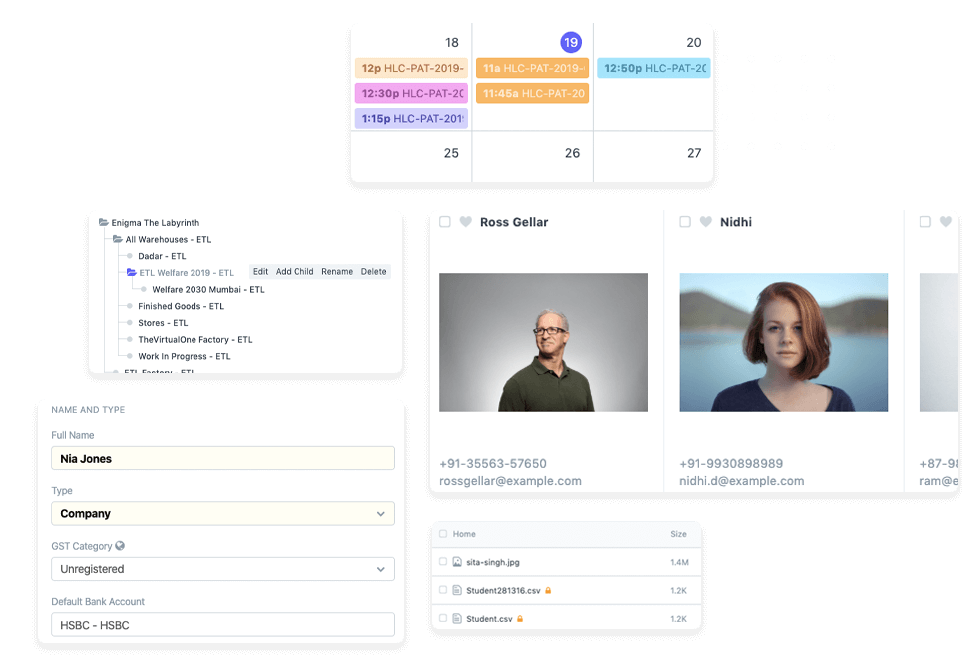

Pharmacy management software in Kenya should connect medicine stock, prescriptions, patient records and sales. Pharmacy management software Kenya-based teams adopt should also fit daily workflows, helping staff monitor batches, expiry dates and prescription information. A dispensing block for expired medicine makes expiry control part of routine operations.
Running a chemist or pharmacy chain means keeping accurate records while serving customers and replenishing stock. To choose pharmacy management software, start by matching the system’s workflows to the needs of your operation, including how many locations and teams it must support.
This guide covers pharmacy and chemist systems, from inventory and prescription records to payment workflows and online integrations. You’ll learn what to consider for your Kenyan business, including data handling and how stock availability and order status can connect with online channels.
Key Takeaways
- Connect online pharmacy workflows with stock availability and order-status updates, and define who owns the integration when it fails.
- Use batch tracking, expiry alerts and dispensing controls to make stock rotation easier to manage.
- Treat patient health information as sensitive data and build privacy safeguards into prescription and record workflows.
- When assessing pharmacy software, consider whether it can achieve the required outputs and results, as stated in section 14.2 of the World Health Organization guideline.
E-prescription and online pharmacy integrations
An e-prescription workflow connects a prescriber’s instructions with pharmacy review, dispensing and recordkeeping. The software should make each handoff clear, from receiving the prescription to fulfilment or recording a query. For example, a pharmacist can match a received prescription with the patient record, check the requested medicine and update its dispensing status. This creates a traceable process across digital and counter-based service.
For an online pharmacy, a REST API can share stock availability and order status with a website or ordering platform. A customer might see that a medicine is available, place an order and receive updates as the pharmacy processes it. The integration should keep the online catalogue aligned with stock records, so staff can act on the same availability information customers see.
Healthcare system integrations can connect pharmacy workflows with hospital systems and other clinical data exchanges. HL7 FHIR is gaining ground for clinical data exchange in Kenya, making it a relevant standard to consider when planning connected services. Hospital pharmacy software is intended to support safe access to and use of medicines by patients and professionals. Clear data handoffs help staff coordinate prescription details and medicine supply.
Map the data flow before connecting systems. Identify which platform creates a prescription, where pharmacy staff review it, and which system updates fulfilment. Then test common cases, such as an unavailable item, a corrected prescription, or an order awaiting collection. For every connection, document who owns the integration and who responds when it fails, including failures at 8pm. This agreement keeps responsibility clear during service interruptions.
In Kenya, the Pharmacy and Poisons Board licenses premises, registers pharmacists and pharmaceutical technologists, and inspects dispensaries for compliance with the Pharmacy and Poisons Act. Integration plans should support orderly records and workable pharmacy processes. Define access roles, error handling and the steps staff follow when a digital message cannot be processed. These controls help connect e-prescriptions, hospital systems and online orders without losing sight of pharmacy operations.
Inventory management
Useful pharmacy inventory tools connect medicine quantities with purchase, supplier, manufacturer, and issue details. They also help staff spot stock risks before they affect dispensing.
First-In, First-Out Stock Handling
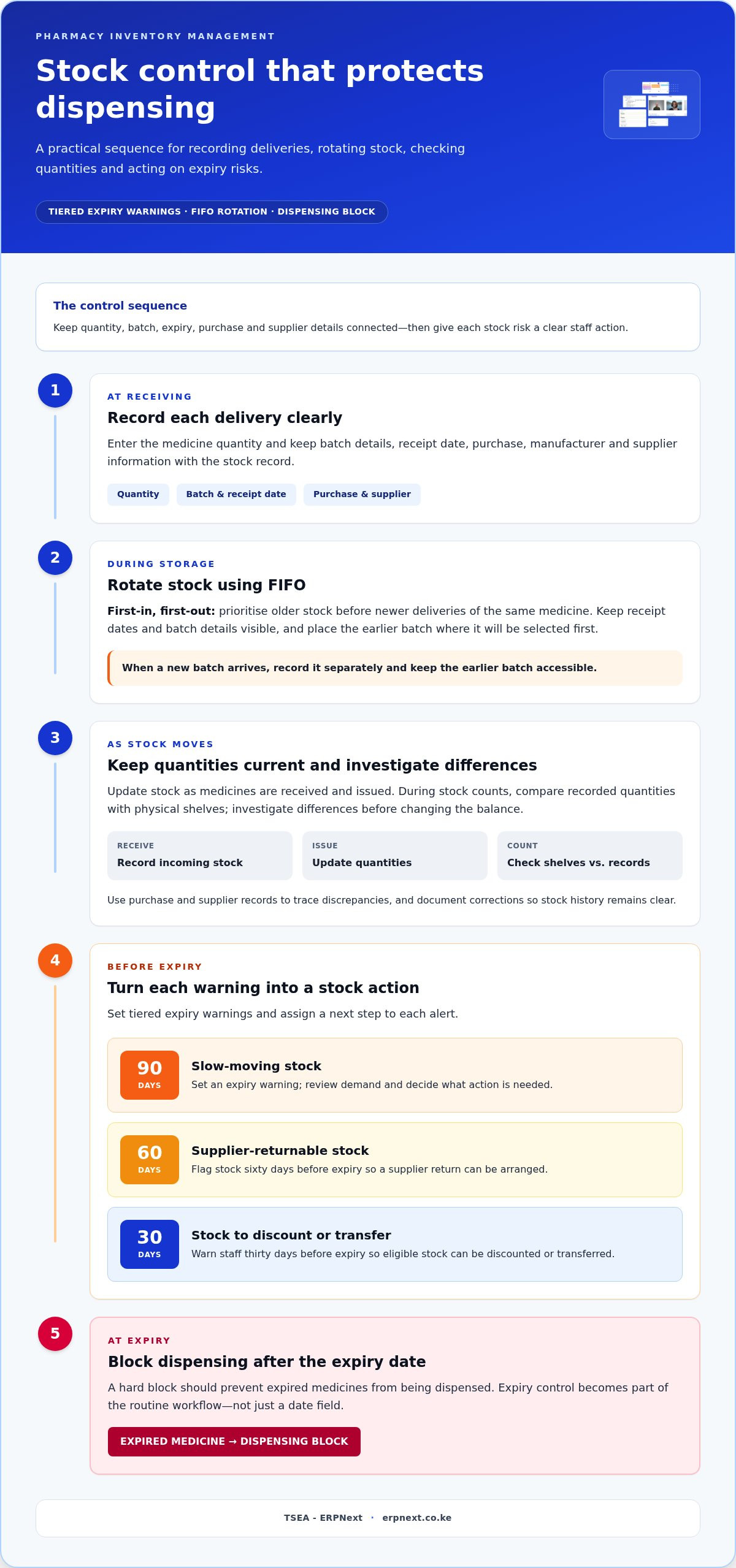
First-in, first-out (FIFO) inventory management prioritises older stock before newer deliveries of the same medicine. Staff need to see receipt dates and batch details clearly, then place older stock where it will be selected first. When a new batch arrives, for example, record it separately and keep the earlier batch accessible. This supports consistent stock rotation without relying on memory.
Stock Control
Stock control combines accurate quantity records with clear steps for receiving, issuing and replenishing medicine. A pharmacy system can record stock movements alongside purchase, manufacturer and supplier information. Compare recorded quantities with physical shelves during stock counts, then investigate differences before updating the balance. These records help staff trace stock movements and identify the supplier or purchase linked to a delivery.
Expiry management needs defined actions, not just a date field. Kenyan pharmacies should set tiered expiry warnings at ninety days for slow-moving stock, flag supplier-returnable stock sixty days before expiry, and warn about stock to discount or transfer thirty days before expiry. A hard block should prevent dispensing medicines after their expiry date. Assign each alert a clear next step, such as reviewing demand, arranging a supplier return, or moving eligible stock.
For day-to-day inventory management, look for real-time stock updates as medicines are received and issued. This gives staff a current view for replenishment and helps avoid decisions based on outdated quantities. Batch numbers and expiry dates should be easy to retrieve alongside medicine details. Use purchase and supplier records to investigate discrepancies, then document corrections so the stock history remains clear.
Prescription and patient record management
Pharmacy POS software in Kenya can integrate with M-Pesa, Airtel Money, and T-Kash. Treat KRA eTIMS as a separate integration requirement because payment connectivity and tax-invoicing workflows serve different functions. Map each connection to its purpose and record what information moves between systems.
For each prescription, keep patient details, medicine instructions, dispensing status and the relevant transaction record connected. A pharmacist reviewing a repeat prescription, for example, should be able to find its status and related patient record without searching across disconnected files. Use consistent record fields so staff can retrieve information accurately and follow the same counter workflow.
Patient and customer payment details can be maintained online alongside pharmacy records. Keep payment entries linked to the relevant transaction, so staff can distinguish a completed payment from an order still awaiting fulfilment. For example, a payment record should match the correct customer and sale rather than sit as an unlabelled entry. This makes routine reconciliation and transaction queries easier to handle.
Kenya’s Data Protection Act is dated 2019 and treats health data as sensitive personal data. Pharmacies handling personal data should choose a lawful basis, limit data use to its purpose, set retention limits, apply security safeguards, and respond to access requests. Apply these controls across prescription records, patient profiles, and payment details. Limit staff access to information needed for their role, and document how records are retained and retrieved.
Set a practical process for correcting a prescription record, handling an access request and restricting information after its retention period. Make sure staff can distinguish clinical details from payment information, then assign appropriate access permissions to each. Review the workflow when adding a payment connection or digital prescription channel. Clear ownership helps teams keep patient records, transactions and system access organised as services change.
Pharmacy and chemist management software in Kenya
Choose software around your pharmacy’s daily workflows, staff roles, and reporting needs. For Kenyan pharmacies, compare how each system handles sales, stock, records, and multiple locations.
Comparing Pharmacy Options
An independent pharmacy may prioritise straightforward sales, billing and stock records for one location. A chain should assess whether teams can manage several branches, apply product changes across locations and review consolidated activity. Compare workflows, not just feature lists. Check how each option handles a branch transfer, purchase record and sales report. The right fit depends on operational complexity and how much coordination owners need.
Hardware and Internet Requirements
Hardware needs depend on how the pharmacy works and which devices its system supports. List the workstations and peripherals staff use, such as receipt printers or barcode scanners, then match them to checkout, receiving and stock-count tasks. Internet needs also depend on whether the system runs online and which workflows rely on a connection. Map busy counter tasks and plan how staff will handle an interruption.
Choosing, Installing, and Migrating
Start with a workflow map: sales, purchasing, reporting, and branch operations. Next, organise existing medicine, supplier, and customer records before migration. Test sample records and routine transactions, then train staff on their roles before moving daily work. The World Health Organization guideline section 14.2 Computerized says computerized systems should be capable of achieving the desired output and results. Use that criterion to test practical tasks, not just demonstrations.
Pharmacist and Owner Feedback
Feedback is most useful when tied to specific work: medicine sales, inventory management, billing and purchase reporting. Ask pharmacists to walk through a typical dispensing shift, then note where the system supports or slows each step. Owners can assess whether supplier and sales reports answer their operational questions. The Pharmacy and Poisons Board oversees licensed premises, so make sure records can be retrieved clearly for inspection.
Compare your workflows against the software’s actual capabilities, then explore pharmacy management options for your operation.
TSEA - ERPNext: ERPNext
TSEA offers ERPNext and Pharmacy Chain Management for businesses coordinating pharmacy operations. Consider Pharmacy Chain Management when your chain needs a structured way to manage business workflows across locations. ERPNext is relevant when you’re evaluating a broader business management platform.
Before moving forward, outline the workflows you want to bring together, such as purchasing, stock handling and branch operations. Use that list to discuss how Pharmacy Chain Management and ERPNext fit your pharmacy’s priorities. This keeps the conversation focused on your operating model and the capabilities you need.
Contact TSEA to discuss Pharmacy Chain Management and ERPNext for your pharmacy business.
Plan Your Pharmacy’s Next Step
Turn your software evaluation into a practical implementation plan. Assign an internal owner, identify the teams who will use the system and define what successful daily operations look like. This gives your evaluation a clear scorecard based on real needs rather than a long feature list.
As you compare pharmacy management software Kenya teams can use, consider how each option fits your current workflows and future plans. The right pharmacy management software Kenya pharmacies choose should support a clear path from evaluation to implementation. TSEA - ERPNext offers ERPNext, Pharmacy Chain Management, and Hospitality.
Share your priorities and contact TSEA - ERPNext to discuss a practical next step.
Frequently Asked Questions
What pharmacy management software is available in Kenya?
Kenyan pharmacies can consider dedicated pharmacy systems and broader ERP platforms with pharmacy-management capabilities. The right category depends on whether you need to manage one chemist or coordinate a chain’s business operations. Compare how each option fits your workflows, such as branch oversight, purchasing, reporting, and staff responsibilities. A system should suit the work your team needs to complete, not simply offer a long feature list.
Which pharmacy software providers serve Kenyan pharmacies and offer local support?
TSEA - ERPNext serves customers nationally and offers ERP solutions relevant to pharmacy businesses. For local support needs, assess the practical operating arrangement: who handles staff onboarding, where users report issues, and who coordinates follow-up. A clear support process helps pharmacy teams know where to turn when software questions affect routine work, without confusing a provider’s national reach with specific support commitments.
What features should Kenyan pharmacies look for in management software?
Prioritise features that match your pharmacy’s work, including branch-level oversight, transaction reporting, purchasing workflows and configurable staff access. An owner reviewing sales across locations, for example, needs reports that separate branch activity while allowing an overall view. Pharmacists also benefit from screens designed around routine counter tasks. Test the system using common scenarios, such as a supplier delivery or a branch-level sales review.
What Kenyan laws and regulations apply to pharmacy software, electronic records, and patient data?
Kenyan pharmacy operations involve the Pharmacy and Poisons Act and the Data Protection Act, 2019. The Pharmacy and Poisons Board licenses premises, registers pharmacists and pharmaceutical technologists, and inspects dispensaries for compliance. Health data is sensitive personal data under the Data Protection Act. Pharmacies handling personal data should establish a lawful basis, limit use to its purpose, set retention limits, apply security safeguards, and respond to access requests.
How can pharmacy management software track stock, expiry dates, batch numbers, and controlled medicines?
Use a system that links each medicine record to its batch, receipt, storage and dispensing history. For controlled medicines, the record trail should help staff reconstruct how stock was received, stored, dispensed and accounted for. Set staff procedures for recording each movement, then run regular checks against physical stock. A clear audit trail makes it easier to investigate discrepancies and prepare records for review.
What are the security, backup, downtime, and data-loss risks of pharmacy software?
Risks include unauthorised access, interrupted connectivity, failed backups and lost or inconsistent records after an outage. Cloud-based systems may provide automatic backups, but arrangements vary. Define who can access sensitive records, how staff continue essential work during downtime and how transactions entered offline are reconciled afterward. Test recovery procedures so the team knows how to restore access and identify missing entries.


